The Ministry of Interior (MOI) is phasing in a new service. The service lets citizens and residents update the photograph stored on their Qatar ID through approved photography studios. The service is not fully live yet.
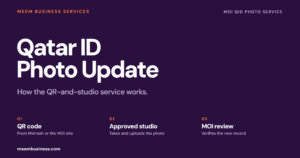
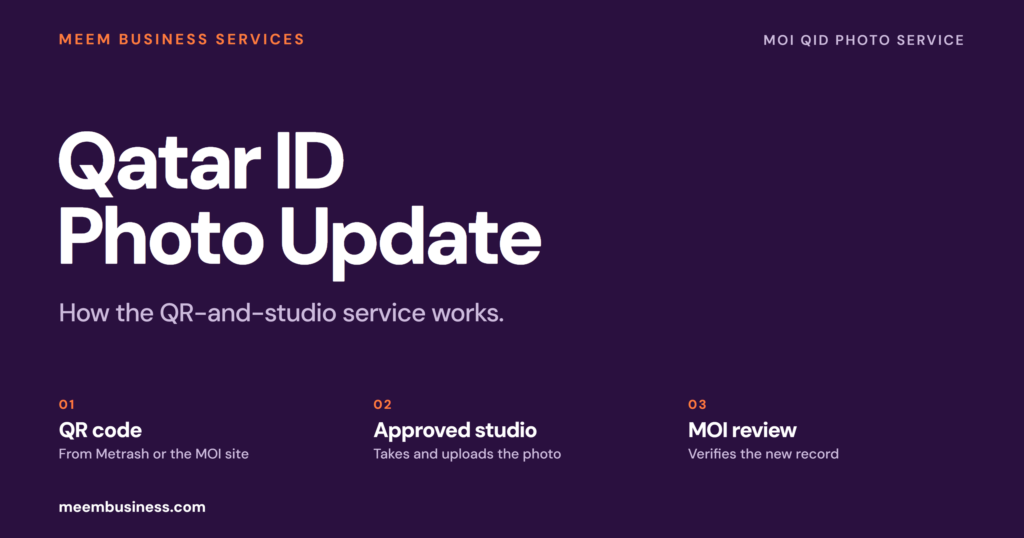
When a Metrash or MOI website transaction needs a personal photo, the system checks the image already on record. When the photo needs updating, MOI issues a QR code for an approved studio.
The studio takes and uploads the new photo through a dedicated MOI page. MOI checks it with automated verification and manual review, then updates the photo record. The applicant continues the original transaction online.
MOI runs the QID photo service because the QID is an MOI identity document. MOCI handles commercial registration and trade licences, so this is not a company-registration step. For the card itself, renewal or replacement, use the Qatar ID guide.
What Should You Do About the QID Photo?
Pick the situation and get the next check.
Choose your situation.
How the MOI Photo Service Works
The service runs through the transaction, not through a standalone photo-change button. MOI checks the photo on record when a service needs one. A QR code is issued only when MOI decides the stored image needs replacing.
Open Metrash or the MOI website and begin the service that needs the photo.
The system compares the stored photo with the transaction requirement.
When MOI decides an update is needed, it gives you a QR code for an approved studio.
The approved studio takes the photo and uploads it through the MOI page.
After MOI verifies the photo, return to the original service and finish it online.
The studio does not approve the photo. The studio takes and uploads the image. MOI keeps the approval step.
QID Photo Service: What Is Confirmed
MOI has confirmed the studio workflow and the photo standards. MOI has not announced the public launch date, the service fee or the final studio list.
- The service is being prepared for a phased launch.
- Technical setup is complete in Metrash and the MOI website.
- A QR code is issued when the stored photo needs updating.
- An approved studio uploads the new photo.
- MOI uses automated checks and manual review.
- ICAO and ISO standards apply; AI-edited photos are rejected when detected.
- A public launch date.
- The full list of approved studios.
- A service fee. No fee has been announced.
- Automatic printing of a new plastic QID.
- Whether every QID transaction will trigger the photo check.
The distinction matters because the service is being prepared for a phased launch. MOI has confirmed the workflow, the studio role and the photo standards. MOI has not announced a public date, a fee or the final studio list.
What Triggers the QID Photo QR Code
MOI issues a QR code when the transaction needs a personal photo. The same check must find the stored photo out of date. The QR code is the trigger for the studio visit. The QR code is not a general permission to change the photo at any time.
When no QR code is issued, the stored photo has passed the check for that transaction. Continue the original service. Booking a studio without a QR code does not create an update request.
- Open the actual Metrash or MOI service that needs the photo.
- Check whether the screen issues a QR code.
- Use the QR code from that transaction; do not reuse an old one.
- Do not share the QR code or your QID number in a public group.
Photo Rules: ICAO, ISO and AI Edits
MOI says the new photo must meet ICAO and ISO standards. The system uses automated checks and manual review. A photo that fails either check is not approved.
MOI also says photos manipulated with artificial intelligence are rejected when detected. That includes beauty filters, face reshaping, background replacement and other edits that change the person or the scene.
The approved studio is expected to take a current photo and upload the file. Ask the studio to check the image against the MOI standard before it is submitted.
Treat old posts with one fixed size or background colour with caution. The new service applies ICAO and ISO standards; the approved studio checks the current requirement.
Approved Studios: What to Check Before You Pay
MOI will list registered photography studios in Metrash and on its website. The listing is expected to include the studio name, location and working hours. A studio that is not on the list should not be used for this service.
Participating studios must have a QR code scanner and must submit their business details to MOI. The scanner is how the studio links your transaction to the upload page.
- Confirm the studio is listed in the MOI or Metrash list.
- Ask whether it accepts the QR code for this service.
- Confirm the studio fee before the photo is taken. MOI has not announced a service fee.
- Keep the receipt and the QR code until the photo is approved.
- Do not pay an agent who cannot show the approved studio or the MOI upload page.
QID Photo: Old Process vs New Process
Older guides describe two routes. One is a service-centre visit. The other is a direct photo upload through Metrash or the MOI portal. Both descriptions predate the studio workflow.
| Step | Older route described online | New MOI service |
|---|---|---|
| Trigger | Applicant decides to change the photo | MOI issues a QR code during a transaction that needs a photo |
| Photo | Brought to a centre or uploaded from a phone | Taken and uploaded by an approved studio |
| Review | Counter or portal review | Automated checks plus manual review |
| Result | Photo update or card service | Photo record updated; continue the original transaction |
The new route does not mean every QID service has moved to a studio. QID renewal, replacement and other MOI services remain separate. The studio service is for the photo check inside a transaction that needs it.
What the QID Photo Service Does Not Change
The announcement is about the photograph stored in MOI systems. The announcement does not say the QID number changes. The announcement also does not say a new card is automatically printed. The service does not replace a renewal or a lost-card replacement.
The service is also not a commercial registration update. MOCI handles the commercial register and trade licence. A new QID photo does not update a CR, an establishment card or a company file by itself.
No fee was announced. Ask the studio what it charges for the photograph and confirm whether any MOI fee applies when the service launches.
If MOI Rejects the Photo
Ask the studio to retake the photo. Do not submit the same edited file again. MOI rejects AI-manipulated images when its checks detect them. Manual review can reject an image that does not match the person.
Use a current photo with the approved studio. When the studio cannot explain why the image failed, ask which MOI upload page it uses. Confirm the current standard before another attempt.
Do not open a second transaction to bypass a rejection. Finish the original transaction after the photo is approved.
QID Photo and Company Files
A company file uses the QID number, name and residence details. A photo update should not change the QID number or the legal identity behind it. A photo update also does not update a CR or an establishment card.
When a QID record blocks a company, work permit or visa file, check which record is out of date. The photo service, the QID renewal and the MOCI filing are separate steps.
Meem’s PRO team checks QID, CR and establishment-card records for companies it has onboarded. Meem does not issue the QID or approve the photo.
QID Photo Checklist Before You Visit a Studio
Before visiting a studio for a QID photo update, confirm the QR code. Check the approved listing, fee and photo rules before the session.
- The MOI or Metrash transaction is open and needs a personal photo.
- The screen has issued a QR code for the photo update.
- The studio is listed in the MOI or Metrash approved list.
- The studio can scan the QR code and upload through the MOI page.
- The fee is confirmed before the photo is taken.
- The photo shows your current appearance without filters or AI edits.
- You have the receipt and QR code for follow-up.
- You know that a new plastic QID is not automatically part of this service.
Need the QID Record Checked for a Company File?
A QID photo update is an MOI identity record. A company file also depends on the CR, establishment card and sponsor records. Check the right record before you file.
Meem handles PRO follow-up, company formation and QID-related document checks for companies it has onboarded. A new company starts with company formation in Qatar.
What to Do While the QID Photo Service Rolls Out
Do not wait for a public launch date when an MOI transaction is blocked. Follow the route the transaction gives you. When it issues a QR code, use an approved studio. When it does not, continue the transaction and do not force a photo change.
Check the studio in Metrash or on the MOI website before paying. Keep the QR code, receipt and approval message until the transaction is complete.
MOI has not announced a fee or a full studio list. Treat any fixed price or “guaranteed approval” offer as a claim to verify.
Qatar ID Photo Update FAQ
The service is phased, so the answer depends on what the Metrash transaction shows.
Is the Qatar ID photo service live now?
The Qatar ID photo service is being phased in. MOI has completed technical preparations and started briefing studios, but MOI has not announced a public launch date. A limited group is expected first.
Is this a MOCI service?
No. The QID is an MOI identity document. MOCI handles commercial registration and trade licences; it does not run the QID photo service.
Can I upload a new photo directly through Metrash?
Not through the new workflow. The QR code sends you to an approved studio, and the studio uploads the photo through a dedicated MOI page.
How do I get the QR code?
Start the Metrash or MOI website transaction that needs a personal photo. MOI issues the QR code only if the stored photo needs updating.
What if no QR code is issued?
The stored photo passed the check for that transaction. Continue the original service; do not book a studio to force a change.
What photo will MOI reject?
MOI says ICAO and ISO standards apply. AI-manipulated photos are rejected when detected. Filters, face edits and background replacements risk rejection.
How much does the service cost?
No MOI service fee has been announced. Ask the approved studio what it charges for the photograph before the session.
Will I get a new QID card?
The announcement covers the photo stored in MOI systems. The announcement does not say a new plastic QID is automatically printed. Card renewal or replacement is a separate service.
Can I use any photography studio?
Use a studio listed by MOI in Metrash or on its website. Participating studios need a QR code scanner and an MOI upload route.
What should I do if the photo is rejected?
Retake the photo at an approved studio without filters or AI edits. Do not open a second transaction to bypass the rejection.
Sources
- The Peninsula: How to update Qatar ID card photos through new MOI service (26 October 2026)
- MOI Qatar on X: Updating ID card photos through approved studios (25 October 2026)
Checked 27 October 2026. The service is phased; confirm the current status in Metrash or on the MOI website before paying a studio.

Head of Operations at Meem
4+ years of Qatar PRO experience across ministries and authorities, including establishment licensing and approvals.
Connect On LinkedIn →