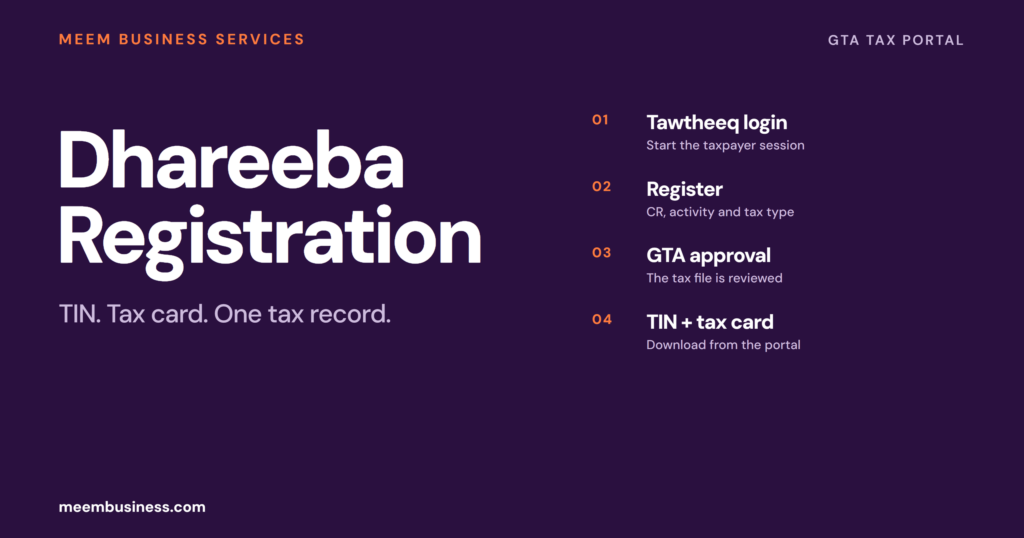
Dhareeba is the General Tax Authority’s online tax portal. A business registered with MOCI must complete tax registration within 60 days. The clock starts at commercial registration or activity approval. Login uses Tawtheeq, the National Authentication System.
After the GTA approves the file, the taxpayer receives a Tax Identification Number (TIN) and a tax card. Both are available from the portal. The TIN is the reference number. The tax card is the proof of registration.
Dhareeba check
What Is Dhareeba?
Dhareeba is Qatar’s electronic tax platform. Dhareeba connects the General Tax Authority, taxpayers and government entities for registration, tax returns, tax cards, certificates and related transactions.
The portal is not the company register. MOCI creates the commercial registration and trade licence; Dhareeba is the separate tax record that follows.
Who Needs to Register on Dhareeba?
A business with a commercial registration and a taxable activity needs a Dhareeba record. The Hukoomi registration service is aimed at taxpayers registered with MOCI outside the Single Window route.
When MOCI registered the company through Single Window, check whether a TIN was already issued before opening a second account. A duplicate tax record creates a harder cleanup than a first registration.
- Mainland companies with a CR and trade licence.
- QFC or free zone entities that are separately registered for tax.
- Businesses that need a tax card for a bank, tender or government file.
- Companies registering a new tax type or updating their tax profile.
Single Window or Dhareeba: Which Route?
The Single Window creates the company record and the trade licence. Dhareeba creates the tax record. Some companies registered through Single Window receive the TIN with the CR; others still need to complete the tax registration.
Check the CR file for a TIN before opening a Dhareeba account. A duplicate taxpayer record is harder to fix than a first registration.
TIN vs Tax Card: What Each One Does
| Item | What it is | Where it is used |
|---|---|---|
| TIN | The tax reference number issued to the taxpayer | Returns, payments, correspondence and bank or tender files |
| Tax card | The registration document issued after approval | Proof of tax registration for government, banks and clients |
The tax card is not a substitute for the CR. Keep the CR, trade licence, TIN and tax card together in the company file.
Which Tax Types Do You Register For?
Dhareeba registration covers the tax types that apply to the business. The common ones are corporate income tax, withholding tax and excise tax. The portal shows the available types when the taxpayer profile is created.
Do not select every tax type “just in case”. The registration should match the activity, the contracts and the transactions the company will actually run.
The 60-Day Registration Window
The registration window is 60 days from activity approval or commercial registration. The exact start date depends on the company route. The date is tied to the company record, not to the first invoice.
A late registration can create a penalty and a compliance problem before the first return is filed. Do not wait for the first sale to open the tax file.
How to Register on Dhareeba
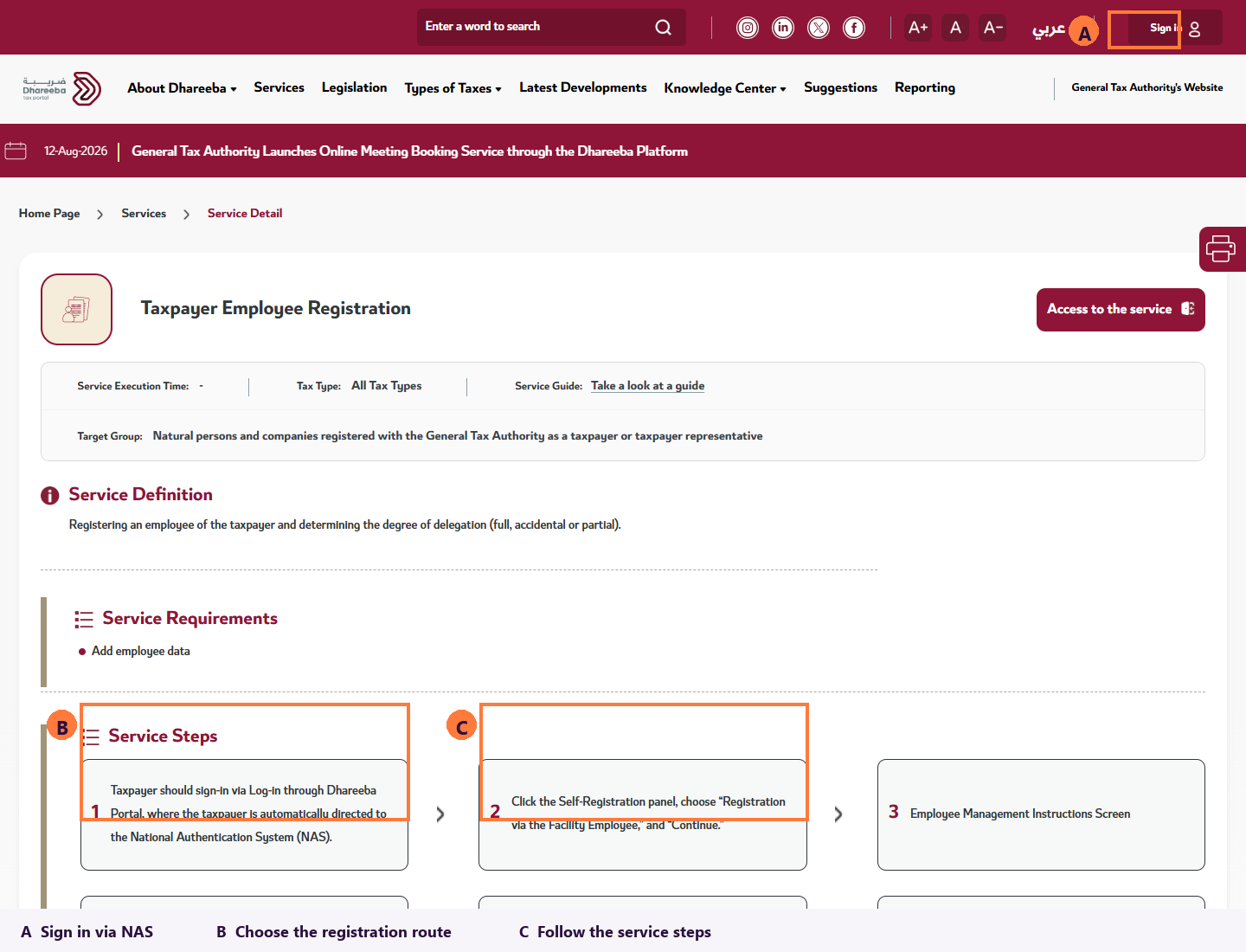
Registration is completed through the portal with Tawtheeq. The taxpayer can register personally, through a representative or through an entity employee. The available route depends on the access set up for the company.
- Open the Dhareeba portal and sign in with Tawtheeq.
- Choose the taxpayer registration route: self, representative or entity employee.
- Enter the CR, trade licence and activity details.
- Select the tax types that apply to the business.
- Upload the documents the form requests and submit.
- Track the request; after approval, download the TIN and tax card.
What Documents the Tax File Needs
The portal asks for the company record and the identity of the person filing. The exact attachments depend on the activity and tax type, so the form is the final list.
- Commercial registration and trade licence.
- QID of the authorized signatory or representative.
- Company contact details and registered address.
- Activity details that match the CR.
- Any tax-type-specific document requested by the portal.
After Approval: What Changes
After approval, the company can download the tax card, see the TIN and use the portal for returns and certificates. The tax record then becomes part of every bank, tender and government file.
Keep the Tawtheeq access active and the authorized signatory details current. A changed manager or QID can block the account if the profile is not updated.
Who Can File for the Company?
The authorized signatory, a tax representative or an entity employee can run the Dhareeba file. The route depends on the access set up for the company and the delegation level given to the user.
The person who logs in must match the Tawtheeq identity and the CR signatory. A manager change should be updated before the next filing, not after a failed login.
Filing After Registration
After approval, the company uses Dhareeba for returns and tax payments. The return deadline depends on the tax type and the tax period. The portal and GTA guidance are the date source.
- Sign in with Tawtheeq and open the taxpayer profile.
- Choose the tax type and the filing period.
- Enter the figures and attach the supporting file the form requests.
- Submit the return and pay through the portal before the deadline.
The tax card and TIN should be ready before the first return. A bank or tender file often asks for both before it accepts the company as a supplier.
If the Registration Is Rejected, Amended or Cancelled
A rejected application usually has a data or document issue. Read the reason, correct the CR, activity or signatory detail and resubmit through the same taxpayer record.
Amendments and cancellations are separate Dhareeba services. A change of activity, address or representative should be updated in the tax profile, not left for the next return.
QFC and Free Zone Registration
QFC and free zone entities can have a different tax registration and onboarding route. The Dhareeba record still matters, but the company should confirm the sequence with its jurisdiction before filing.
Do not copy a mainland company’s registration steps into a QFC or free zone file. The licensing and tax onboarding teams set the order.
Do Exempt Entities and Branches Register?
Exempt entities and branches still need to confirm their Dhareeba status with the GTA. A branch may sit under the parent taxpayer record or need a separate registration. The CR and tax type decide.
Do not assume an exemption removes the tax record. Confirm the taxpayer type in the portal and keep the GTA response with the company file.
Late Registration and Penalties
Late registration can trigger a penalty under Qatar’s tax rules. The GTA applies the current schedule. Confirm the amount with the authority rather than copying an old article.
The bigger cost is often operational. A missing TIN blocks a bank file, tender or client onboarding before the first return is due.
Why Dhareeba Registration Fails
Most failed registrations are data mismatches, not portal errors. The CR, licence, activity and signatory details have to agree before the request is submitted.
- The CR is not yet active or the activity is not licensed.
- The applicant uses the wrong registration route.
- The Tawtheeq account does not match the authorized signatory.
- The activity in the tax form differs from the CR.
- A duplicate taxpayer record already exists.
- A required tax-type document is missing.
What Does a Dhareeba File Look Like in Practice?
The common failure is a duplicate tax record created because the company did not check the Single Window TIN. The second failure is a Tawtheeq account tied to a manager who has already left. Both are avoidable before the first submission.
Need the Tax Registration File Checked?
Send the CR, the activity and the signatory details. We will check whether a TIN already exists and whether the CR activity matches the tax type. We will also check the Tawtheeq signatory.
Meem handles company formation, tax registration coordination and PRO follow-up for companies it has onboarded. A new company starts with company formation in Qatar. GTA support: 16565 inside Qatar, +974 4406 9941 from abroad.
Dhareeba Is the Tax Record, Not the Company Record
The CR creates the company. Dhareeba creates the tax file. The 60-day window, Tawtheeq login and TIN/tax card turn a company record into a tax-compliant business.
Check the route before you submit. A duplicate record or a mismatched signatory is harder to fix after approval.
Dhareeba Registration FAQ
Dhareeba registration depends on the CR, the activity and the Tawtheeq access.
What is Dhareeba in Qatar?
Dhareeba is the General Tax Authority’s electronic portal for tax registration, tax cards, returns, certificates and related transactions.
Who must register on Dhareeba?
A business with a commercial registration and a taxable activity must register. The Hukoomi service covers taxpayers registered with MOCI outside the Single Window route.
How long do I have to register?
The registration window is 60 days from commercial registration or approval to start the activity, depending on the company route.
What is the difference between the TIN and the tax card?
The TIN is the tax reference number. The tax card is the registration document issued after approval.
How do I log in to Dhareeba?
Login uses Tawtheeq, the National Authentication System. The account must match the authorized signatory or representative.
Can I register through a representative?
Yes. The portal supports self-registration, a taxpayer representative and an entity employee route.
What if MOCI registered my company through Single Window?
Check whether a TIN was already issued before opening a second Dhareeba account. A duplicate record creates a cleanup problem.
What happens after approval?
The taxpayer can download the tax card, use the TIN and file returns or certificate requests through the portal.
What if the company was registered through Single Window?
Check whether the TIN was already issued with the CR before opening a second Dhareeba account.
Which taxes are registered on Dhareeba?
Corporate income tax, withholding tax and excise tax are common. The portal shows the tax types when the taxpayer profile is created.
What if the registration is rejected?
Read the reason, correct the CR, activity or signatory detail and resubmit through the same taxpayer record.
Sources
- Qatar Living: Dhareeba Tax Portal Registration and Filing Guide
- General Tax Authority: Dhareeba Tax Portal
- Dhareeba: Taxpayer Employee Registration
Checked 28 October 2026. The portal and GTA remain the final check before submission.

Head of Operations at Meem
4+ years of Qatar PRO experience across ministries and authorities, including establishment licensing and approvals.
Connect On LinkedIn →